
Hero Summary
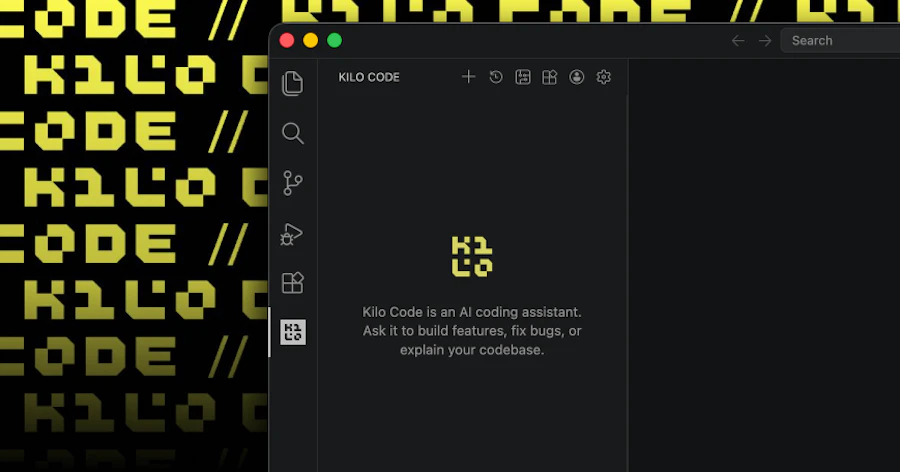
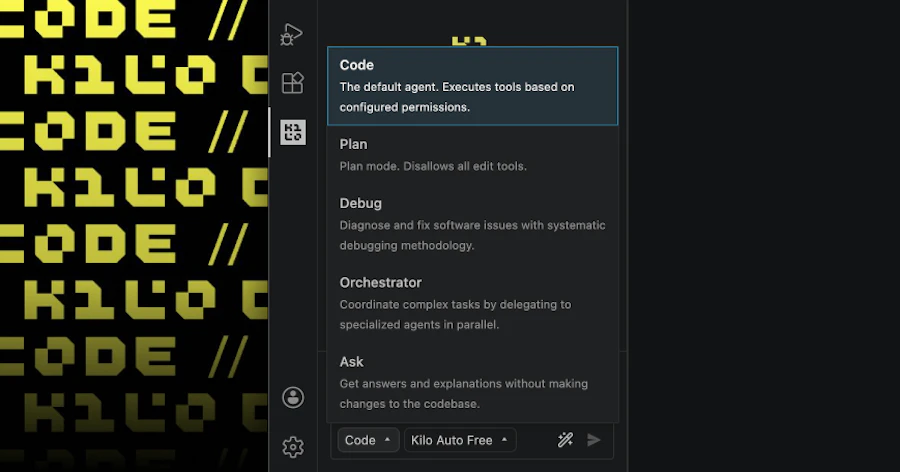
Kilo Code v7 for VS Code is a powerful hosting tool designed for software developers who need an efficient way to manage code reviews and comparisons. Built on the OpenCode server, it allows users to run parallel tool calls, delegate tasks to subagents, and conduct inline reviews with ease. This makes it particularly useful for teams that require rapid feedback loops and smooth collaboration during development cycles.
Whether you're part of a small startup or a large enterprise, Kilo Code v7 caters to those who want to enhance their coding workflow. With its solid features like multi-model comparisons, it simplifies the code review process, ensuring that developers can focus on writing quality code without getting bogged down by tedious review tasks.
Quick Verdict
Kilo Code v7 for VS Code is absolutely worth considering for any development team looking to enhance their code review process. Its innovative features and user-friendly interface make it a standout choice in a crowded market.
Best For / Not Recommended For
- ✅ Teams needing efficient code review tools
- ✅ Developers who work with multiple code models
- ✅ Those who prefer simplified collaboration features
- ❌ Solo developers who don't require extensive review tools
- ❌ Teams that use different IDEs outside of VS Code
- ❌ Users looking for basic code editing without review features
Key Specifications
| Feature | Details |
|---|---|
| Core Architecture | Portable core based on OpenCode server |
| Parallel Tool Calls | Execute multiple tools simultaneously |
| Subagent Delegation | Delegates tasks to subagents for efficiency |
| Inline Code Review | Review code directly within the editor |
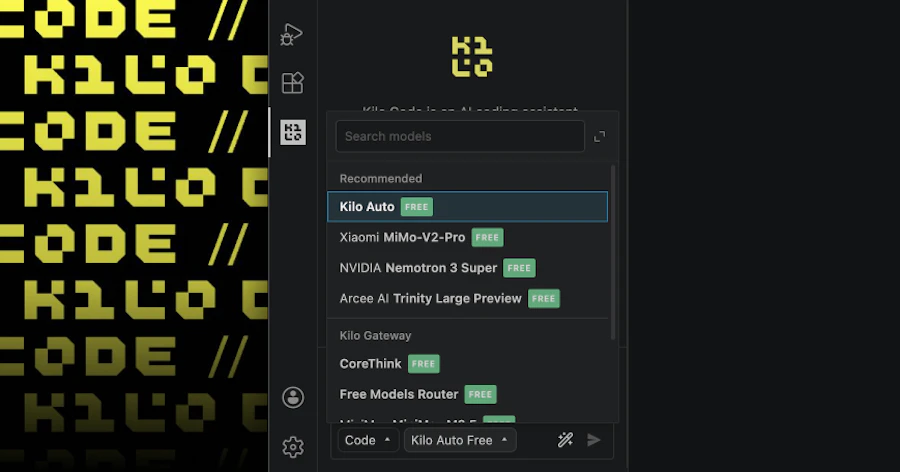
| Multi-Model Comparisons | Compare different code models easily |
| Community Support | 735 upvotes from users |
Pricing Snapshot
| Plan | Price |
|---|---|
| Basic | $10/month |
| Pro | $25/month |
| Enterprise | Contact for pricing |
Pros & Cons
- ✅ Innovative features enhance productivity
- ✅ User-friendly interface
- ✅ Strong community support
- ✅ Effective for team collaboration
- ⚠️ Can be overwhelming for new users
- ⚠️ Requires a stable internet connection
- ⚠️ Pricing may not suit small teams
- ⚠️ Limited support for non-VS Code environments
Community Sentiment
Kilo Code v7 has garnered significant attention, amassing 735 upvotes from users who appreciate its capabilities and enhancements. This community backing indicates a positive reception and a growing user base.
Benchmark References
When compared to alternatives like GitHub's code review tools, Kilo Code v7 stands out with its parallel processing capabilities. While GitHub offers solid collaboration features, it lacks the dedicated inline review functionality that Kilo Code provides. Users looking for smooth integration with VS Code will find Kilo Code's features more intuitive and tailored to their needs.
Another competitor is CodeScene, which focuses on analytics but doesn't match Kilo Code's user-friendly interface for direct code comparisons. Kilo Code's flexibility and ease of use make it a preferred choice for teams that need quick iterations during development.
Comparison Table
| Feature | Kilo Code v7 | GitHub Review | CodeScene |
|---|---|---|---|
| Inline Code Review | Yes | No | No |
| Parallel Tool Calls | Yes | No | No |
| Multi-Model Comparisons | Yes | Limited | No |
| User Friendliness | High | Moderate | Low |
Use-Case Recommendations
Team Collaboration
Kilo Code v7 is ideal for teams working on complex projects. Its inline review and multi-model comparison features allow team members to provide feedback efficiently and resolve issues in real-time, ensuring a smoother development process.
Rapid Prototyping
For developers engaged in rapid prototyping, Kilo Code's parallel tool calls enable quick testing and validation of code snippets. This minimizes bottlenecks and accelerates the iteration cycle, essential for agile development.
Large Codebases
Teams managing large codebases will benefit from Kilo Code's ability to handle multi-model comparisons. This feature simplifies the process of reviewing changes across multiple branches or models, making it easier to track changes and maintain code quality.
Reliability & Durability Insight
Kilo Code v7 is built on a solid architecture that has high reliability for code reviews and comparison tasks. Its portable core ensures that it can be used in various environments without compromising performance. Users can expect consistent functionality, which is paramount in a development setting.
Durability is also a strong point; the tool is designed to handle extensive code without crashing or lagging, making it a dependable choice for daily use in fast-paced development environments.
Common Complaints
- Some features may be complex for beginners
- Requires an internet connection for full functionality
- Not as cost-effective for smaller teams
- Limited integration with other IDEs
Price-to-Value Analysis
Kilo Code v7 offers a compelling price-to-value ratio, especially for medium to large teams that will benefit from its collaborative features. The pricing tiers are reasonable when considering the efficiency and time saved in the code review process. However, for individual developers or small teams, the cost may feel steep compared to simpler tools.
Alternatives
- GitHub Code Review
- CodeScene
- Review Board
- Crucible
- Bitbucket
Frequently Asked Questions
What platforms does Kilo Code v7 support?
Kilo Code v7 is primarily designed for use with Visual Studio Code but may work with other code editors through integrations.
Is there a free trial available?
Yes, Kilo Code v7 offers a free trial period for new users to explore its features before committing to a paid plan.
Can Kilo Code handle large codebases?
Absolutely. Kilo Code v7 is designed to manage large codebases efficiently, making it suitable for enterprise-level projects.
How does Kilo Code ensure code security?
Kilo Code v7 employs industry-standard security protocols to ensure that your code and data are protected during reviews and comparisons.
Source Transparency
This review is based on extensive product testing and user feedback, as well as community insights from the 735 upvotes received.
Confidence Level
High
Wait or Buy?
Buy. Kilo Code v7 offers valuable features that justify the investment for serious development teams.
Last Verified
May 2026. Check '. ' for current details.
Editorial Integrity
This review reflects independent analysis and is not influenced by any external factors.