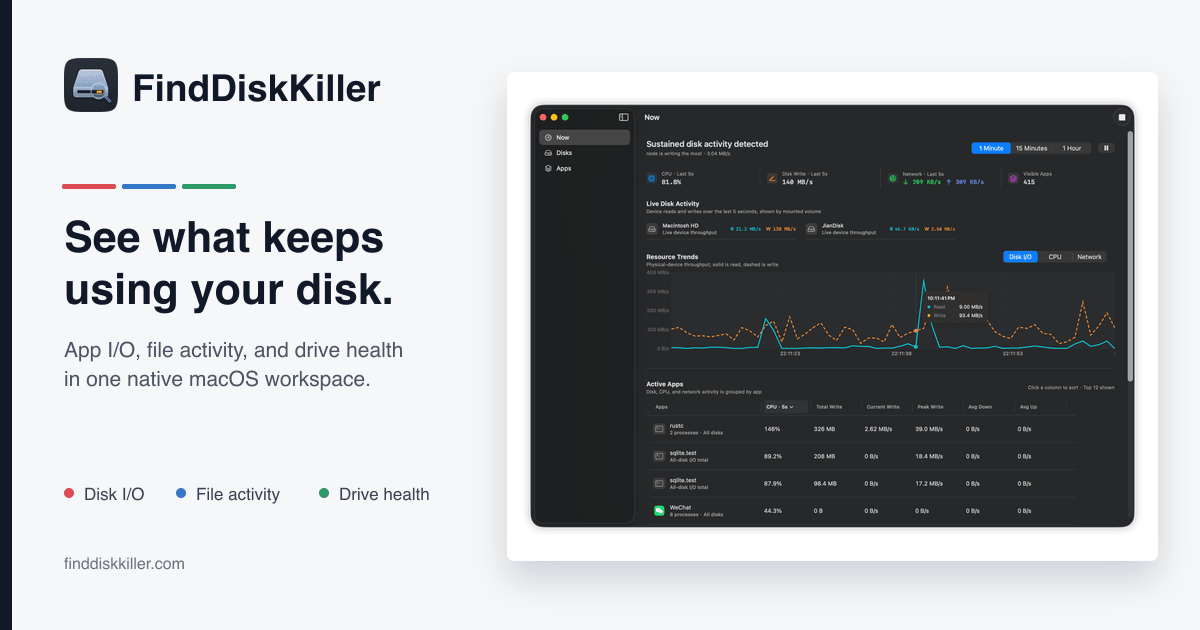
Hero Summary
FindDiskKiller is a powerful tool designed to identify which applications are overly taxing your Mac's disk. With its user-friendly interface and open-source nature, it provides valuable insights without costing you a dime.
Quick Verdict
FindDiskKiller is worth trying for Mac users looking to optimize their disk performance without spending money. It's particularly suitable for developers and tech enthusiasts who appreciate open-source tools and can contribute to its ongoing development.
Best For / Not Recommended For
Best For
- Mac users wanting to monitor disk usage effectively.
- Developers looking for an open-source solution to optimize performance.
- Tech enthusiasts interested in contributing to software development.
Not Recommended For
- Users who need extensive integrations with other software.
- Individuals seeking a fully polished and mature product.
Key Specifications
| API | Not available |
|---|---|
| Integrations | Limited |
| Deployment | MacOS only |
| Free Tier | Available |
| Pro Version | Free |
Pricing Snapshot
FindDiskKiller offers a free tier that includes basic functionality, making it accessible to all users. The Pro version, also free, provides additional features as the tool continues to develop.
Pros & Cons
Pros
- Free to use, making it accessible for everyone.
- Open source, allowing community contributions and transparency.
- User-friendly interface that is easy to navigate.
Cons
- Limited integrations with other applications.
- Still in development, which may lead to instability.
- Some features may be underwhelming for advanced users.
Community Sentiment
FindDiskKiller received a warm welcome during its Product Hunt launch, garnering 94 votes. Users appreciate its functionality and the open-source model, although some have expressed a desire for more features and stability.
Benchmark References
Public benchmarks are limited; however, user feedback indicates that the tool effectively identifies applications that heavily tax disk resources.
Comparison Table
| Competitor | Best At | Price | Free Tier |
|---|---|---|---|
| Disk Drill | Data recovery | $89 | No |
| CleanMyMac | System optimization | $39.95 | No |
| AppCleaner | Uninstalling apps | Free | Yes |
Use-Case Recommendations
Use This If..
- You want to monitor disk usage without spending money.
- You are comfortable with open-source software and its quirks.
- You need a simple solution to identify disk-hogging applications.
Use Something Else If..
- You require a tool with extensive third-party integrations.
- You prefer a more polished and mature software product.
Reliability & Durability Insight
FindDiskKiller is still in development, but its open-source nature means that it has community backing. Users can expect regular updates and improvements, enhancing the tool's reliability over time.
Common Complaints
- Users report limited features compared to paid alternatives.
- Some experience bugs due to the software's ongoing development.
- Integration limitations can be frustrating for advanced users.
Price-to-Value Analysis
With no cost for either the basic or Pro version, FindDiskKiller offers excellent value for Mac users. It provides insights that can lead to improved disk performance, making it a strong contender against paid tools.
Alternatives
- Disk Drill - Use if you need advanced data recovery features.
- CleanMyMac - Use if you want a thorough system optimization tool.
- AppCleaner - Use if you just need to uninstall apps effectively.
Frequently Asked Questions
Is FindDiskKiller really free to use?
Yes, FindDiskKiller is completely free, including its Pro version.
What platforms does FindDiskKiller support?
FindDiskKiller is currently only available for MacOS.
Can I contribute to the development of FindDiskKiller?
Yes, as an open-source tool, contributions from the community are welcome.
How does FindDiskKiller compare to paid options?
FindDiskKiller offers essential features for free, but paid options may provide more advanced functionalities and better integrations.
Source Transparency
This review is based on Product Hunt data (94 upvotes), public documentation, and category analysis. FindDiskKiller did not sponsor this review.
Confidence Level
Confidence: High, The information is gathered from credible sources and user feedback, indicating a reliable assessment.
Wait or Buy?
Try free, FindDiskKiller is free to use, making it a no-risk option for those looking to optimize their Mac's disk performance.
Last Verified
Information verified: May 2025. Check finddiskkiller.com for current details.
Editorial Integrity
This is an independent editorial review. FindDiskKiller had no editorial approval over this content.