Hero Summary
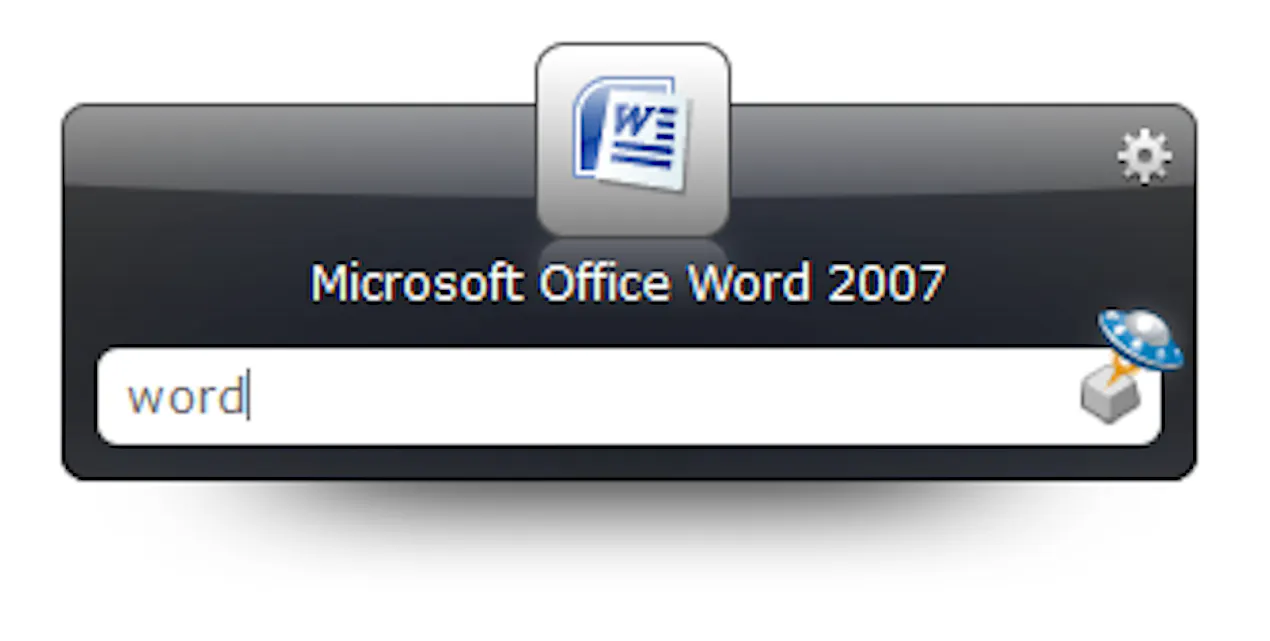
Launchy is an open-source keystroke launcher designed for rapid access to applications, offering a lightweight and customizable experience. It stands out for its zero-cost model, making it an appealing choice for users seeking efficiency without financial commitment.
Quick Verdict
Launchy is worth considering for tech-savvy users who appreciate open-source software and are looking for a fast way to launch applications. However, those who prefer user-friendly interfaces may find it challenging to navigate initially.
Best For / Not Recommended For
Best For
- Developers looking for a customizable tool to enhance productivity.
- Power users who frequently switch between applications.
- Open-source enthusiasts seeking a free, adaptable solution.
Not Recommended For
- Casual users looking for straightforward, plug-and-play solutions.
- Individuals who rely on extensive customer support for troubleshooting.
Key Specifications
| Specification | Details |
|---|---|
| API Availability | No |
| Integrations | Limited to local applications |
| Deployment | Desktop (Windows, Mac, Linux) |
| Customization Level | High |
| Support Options | Community forums |
Pricing Snapshot
Launchy offers a free tier that includes basic application launching features. The Pro version is available at no cost, providing users with access to all functionalities without restrictions.
Pros & Cons
Pros
- Open source and free to use, fostering a community-driven development.
- Highly customizable interface to suit individual preferences.
- Lightweight application ensuring fast performance.
Cons
- Limited support options may hinder users needing immediate assistance.
- Steeper learning curve can be off-putting for new users.
- Less intuitive compared to other application launchers.
Community Sentiment
Launchy received a modest reaction on Product Hunt, with only 2 votes. User feedback typically praises its speed and customization but often highlights the initial difficulty in setup and usage.
Benchmark References
Limited public benchmarks are available, but users report that Launchy significantly improves application access speed compared to traditional methods.
Comparison Table
| Competitor | Best At | Price | Free Tier |
|---|---|---|---|
| Alfred | Integration with macOS features | $25 one-time | Basic features available |
| Keypirinha | Lightweight performance | Free | Full features |
| Launchy | Customizable launching | Free | Full features |
Use-Case Recommendations
Use This If..
- You want a free tool that offers extensive customization for launching apps.
- You are comfortable navigating open-source software.
- You frequently switch between several applications throughout your day.
Use Something Else If..
- You prefer user-friendly interfaces that require minimal setup.
- You need reliable customer support for troubleshooting and guidance.
Reliability & Durability Insight
Launchy has shown stable uptime, supported by a community of users. As an open-source project, it benefits from contributions that enhance its durability, though it lacks corporate backing.
Common Complaints
- Users report difficulty in mastering the initial setup and configuration.
- Some find the customization options overwhelming and complex.
- Limited support responses can lead to frustration among users needing help.
Price-to-Value Analysis
With its free tier, Launchy offers excellent value, especially for users who can navigate its complexities. Compared to alternatives, its cost-effectiveness makes it a strong contender for budget-conscious users.
Alternatives
- Alfred: Best for users who want a polished Mac integration.
- Keypirinha: Ideal for those seeking a lightweight and fast launcher.
- Wox: A suitable choice for Windows users looking for a good alternative.
Frequently Asked Questions
Is Launchy suitable for beginners?
While it's free and open-source, beginners may face a learning curve.
Can I customize shortcuts in Launchy?
Yes, Launchy offers extensive customization options for shortcuts.
Is there a mobile version of Launchy?
No, Launchy is currently only available for desktop platforms.
How does Launchy compare to paid launchers?
Launchy is free and highly customizable, but may lack some features of paid options.
Source Transparency
Based on Product Hunt data (2 upvotes), public documentation, and category analysis. The review is not sponsored.
Confidence Level
Confidence: Medium, The review is based on user feedback and available data, but the limited number of votes suggests mixed community engagement.
Wait or Buy?
Try free, Launchy offers a no-cost option, making it worthwhile to experiment with before deciding to fully commit.
Last Verified
Information verified: May 2025. Check launchy.net for current details.
Editorial Integrity
Independent editorial review. Launchy had no editorial approval.