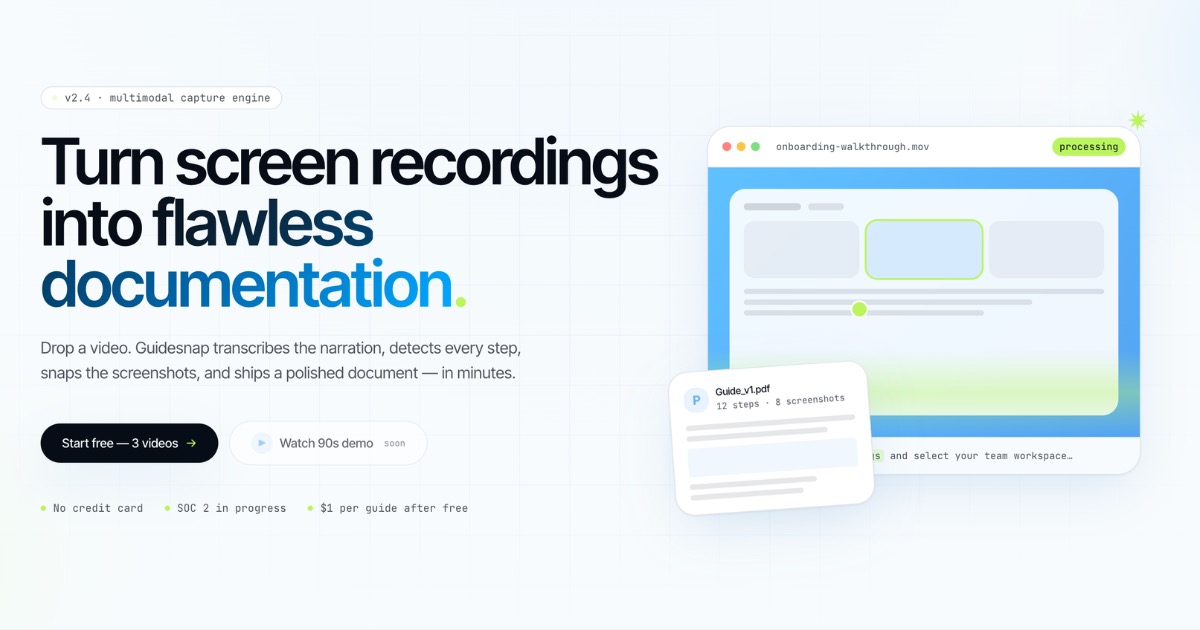
Hero Summary
Guidesnap is an innovative tool that transforms your screen recordings into polished PDF guides in mere minutes. Perfect for educators and trainers looking to simplify their documentation process, this AI tool simplifies the creation of instructional materials.
Quick Verdict
Guidesnap is worth considering for those who regularly produce instructional materials and seek efficiency in their workflow. However, if you require extensive integrations or a free plan, you might want to explore other options.
Best For / Not Recommended For
Best For
- Educators who need to create quick instructional materials.
- Trainers looking to document processes for remote teams.
- Content creators wanting to produce visual guides efficiently.
Not Recommended For
- Users who need a variety of integrations with other tools.
- Individuals looking for a free plan to test the service.
Key Specifications
| Feature | Details |
|---|---|
| API | No API available |
| Integrations | Limited integrations offered |
| File Formats | PDF only |
| Deployment | Web-based application |
| Support | Email and chat support available |
Pricing Snapshot
Guidesnap is available for $15 per month for the Pro plan, which unlocks full features. Currently, there is no free tier, so users must opt for the paid plan to access the tool's capabilities.
Pros & Cons
Pros
- Easy to use, even for those with minimal technical skills.
- Quick generation of PDFs from screen recordings.
- Responsive customer support for users.
Cons
- Limited integrations with other software tools.
- No free plan available for users to test the service.
- May not meet the needs of advanced users requiring more features.
Community Sentiment
The launch on Product Hunt garnered 13 upvotes, indicating a positive reception among early users. Feedback has generally highlighted its user-friendliness and efficiency, though concerns about the lack of integrations have been noted.
Benchmark References
Public benchmarks are limited, but user feedback suggests that Guidesnap performs well in generating guides quickly and efficiently compared to manual processes.
Comparison Table
| Tool | Best At | Price | Free Tier |
|---|---|---|---|
| Guidesnap | Quick PDF generation | $15/month | No |
| Snagit | Screen capture and editing | $49.95 one-time | No |
| Camtasia | Video editing and screen recording | $249.99 one-time | No |
Use-Case Recommendations
Use This If..
- You need to create instructional guides quickly for training sessions.
- You want an easy-to-navigate tool for generating PDFs from recordings.
- You are focused on producing visual content without complicated software.
Use Something Else If..
- You require extensive integrations with project management tools.
- You are looking for a free alternative to test before committing.
Reliability & Durability Insight
Guidesnap is a web-based application with consistent uptime reported by users. While it is a relatively new product, the company appears to back it effectively, aiming for product maturity in the growing e-learning space.
Common Complaints
- Users often express frustration over the lack of integrations.
- Some find the pricing to be a barrier due to the absence of a free plan.
- Advanced users may feel limited by the features available.
Price-to-Value Analysis
The ROI for educators and trainers can be significant, as the time saved in creating guides can lead to more efficient workflows. However, those expecting a more extensive feature set may find better value in alternatives.
Alternatives
- Snagit - Use for thorough screen capture and editing.
- Camtasia - Ideal for those who need advanced video editing capabilities.
- ScreenFlow - Great for Mac users needing screen recording and editing.
Frequently Asked Questions
Is there a free trial available for Guidesnap?
No, Guidesnap does not offer a free trial or free tier; a paid plan is required to access the features.
Can I integrate Guidesnap with other tools?
Currently, Guidesnap provides limited integrations with other software tools.
What types of content can I create with Guidesnap?
You can create polished PDF guides based on your screen recordings.
What support options are available for users?
Guidesnap offers email and chat support to assist users with any questions or issues.
Source Transparency
This review is based on Product Hunt data (13 upvotes), public documentation, and category analysis. The review is not sponsored.
Confidence Level
Confidence: Medium, The information is based on available data and user feedback, though the product is still developing.
Wait or Buy?
Buy now if you need a straightforward tool for creating PDF guides quickly. If integrations are essential to your workflow, you may want to explore other options first.
Last Verified
Information verified: May 2025. Check guidesnap.app for current details.
Editorial Integrity
This is an independent editorial review. Guidesnap had no editorial approval over the content of this review.