
Hero Summary
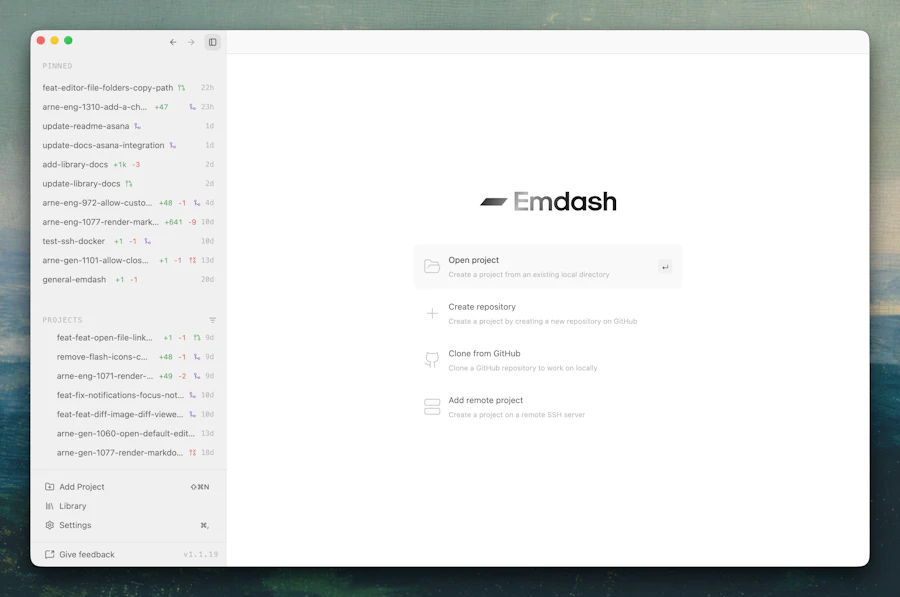
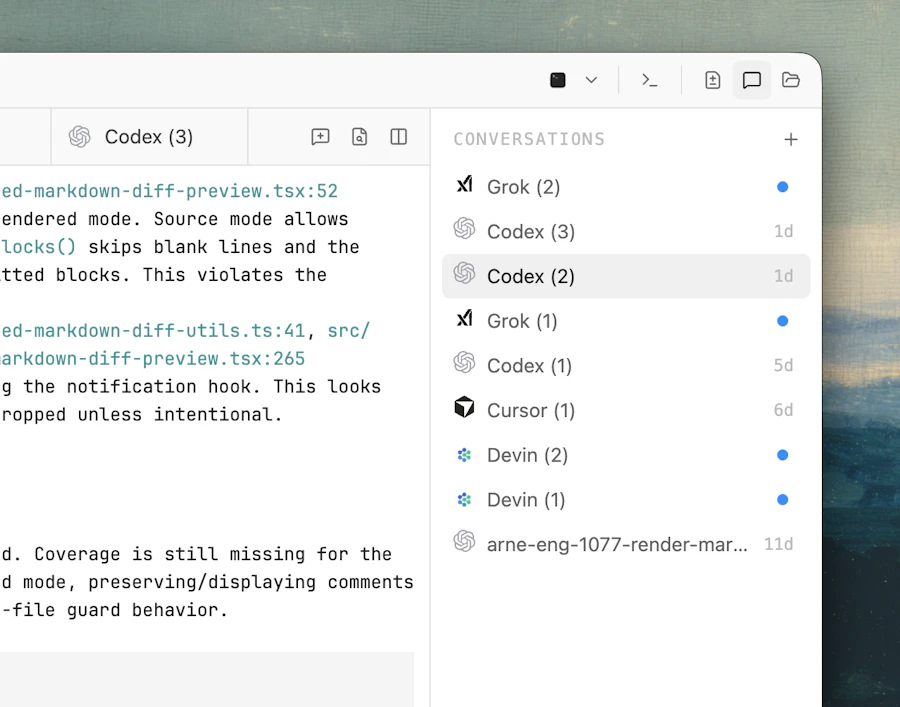
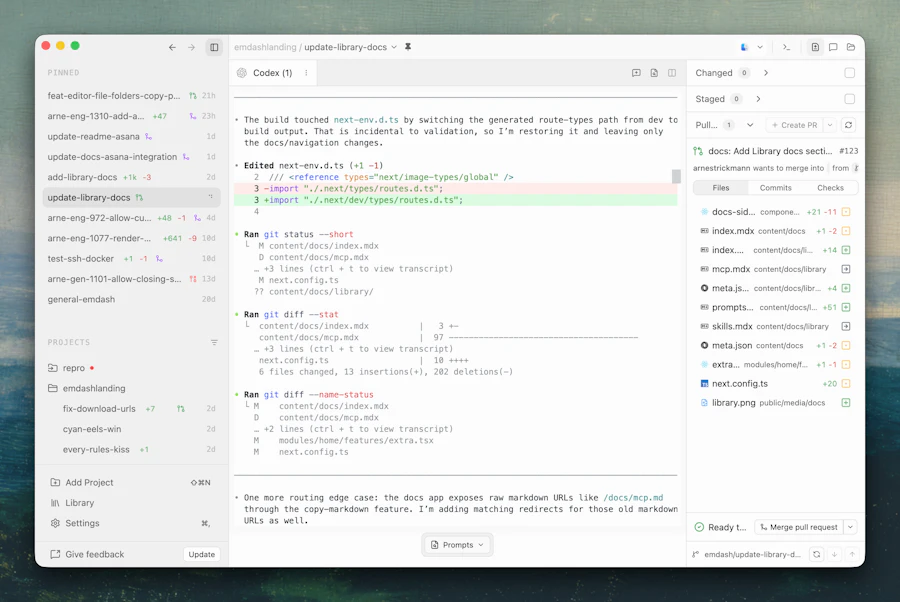
Emdash is an open-source desktop app designed for developers who need to run multiple coding agents simultaneously. It consolidates various tasks into one easy-to-manage interface, enabling users to monitor sessions, review diffs, and swiftly convert issues into pull requests. The focus is on simplifying workflow, making it a practical addition to any developer's toolkit.
This tool stands out for its simplicity and effectiveness, allowing coding agents to operate in parallel without the hassle of switching between different applications. With Emdash, developers can enhance their productivity and maintain better oversight of ongoing projects, all while benefiting from the collaborative spirit of the open-source community.
Quick Verdict
Emdash is a solid choice for developers seeking an integrated environment for managing multiple coding tasks. Its open-source nature not only invites contributions but also ensures that it remains adaptable to the specific needs of the user community. While it may not be as feature-rich as some paid alternatives, its focus on essential functionalities makes it an excellent tool for teams looking to simplify their development processes without breaking the bank.
Best For / Not Recommended For
- ✅ Developers working on collaborative projects
- ✅ Individuals who prefer open-source solutions
- ✅ Teams needing efficient session monitoring
- ✅ Users looking to simplify their coding environment
- ❌ Users looking for extensive built-in integrations
- ❌ Developers who require advanced project management features
- ❌ Those unfamiliar with open-source software
- ❌ Users who prefer a fully managed solution
Key Specifications
| Feature | Description |
|---|---|
| Type | Open-source desktop application |
| Supported OS | Windows, macOS, Linux |
| Parallel Agents | Run multiple agents simultaneously |
| Diff Review | Built-in diff review capabilities |
| Issue Tracking | Convert issues directly into PRs |
| Community Support | Active open-source community |
| Customization | Highly customizable settings |
Pricing Snapshot
| Tier | Price | Features |
|---|---|---|
| Free | $0 | Basic features, community support |
| Pro | Donations welcome | Access to premium updates and features |
Pros & Cons
- ✅ Open-source and free to use
- ✅ Simple, user-friendly interface
- ✅ Strong community support
- ✅ Efficient session management
- ⚠️ Limited advanced features
- ⚠️ Requires some technical know-how
- ⚠️ May lack extensive integrations
- ⚠️ Performance may vary based on system specifications
Benchmark References
When compared to alternatives like GitHub Desktop, Emdash focuses more on running multiple coding agents simultaneously, rather than just version control. While GitHub Desktop excels in integration with GitHub repositories, Emdash offers a more versatile environment for developers looking to manage various tasks in one place. Similarly, tools like Visual Studio Code provide extensive features but often come at the cost of complexity. Emdash strikes a balance by keeping it simple and functional.
While other tools may offer more advanced features, Emdash makes a strong case for teams that prioritize usability and the ability to manage multiple tasks without the clutter. Its open-source nature also invites contributions that can enhance its capabilities over time, making it a potentially evolving choice for developers.
Comparison Table
| Feature | Emdash | GitHub Desktop | Visual Studio Code | SourceTree |
|---|---|---|---|---|
| Open-source | ✅ | ✅ | ✅ | ✅ |
| Multiple Agent Support | ✅ | ❌ | ❌ | ❌ |
| Session Monitoring | ✅ | ✅ | ✅ | ✅ |
| Diff Review | ✅ | ✅ | ✅ | ✅ |
| Customization | ✅ | ❌ | ✅ | ✅ |
Use-Case Recommendations
Team Collaboration
Emdash is ideal for teams working on shared coding projects, allowing multiple members to track issues and pull requests in a unified interface.
Learning Environment
For learners or new developers, Emdash provides a straightforward way to manage coding tasks without overwhelming features, making it easier to focus on learning.
Open-Source Contributions
Developers interested in contributing to open-source projects will find Emdash particularly useful for managing various coding agents and monitoring contributions efficiently.
Reliability & Durability Insight
Emdash has shown impressive reliability for users across different operating systems. Its open-source nature allows for continuous improvements and bug fixes from the community, ensuring that it remains stable and functional over time. Users can expect a consistent experience across updates, provided they keep an eye on community contributions.
Common Complaints
- Limited advanced features compared to more expensive alternatives
- Some users report a learning curve for customization
- Performance can be inconsistent on older hardware
- Documentation may lack depth for new users
Price-to-Value Analysis
Emdash provides significant value for the price of zero. Its open-source model means users can access and use powerful features without financial commitment. However, the lack of advanced options may lead some users to seek out paid alternatives that offer more solid functionalities. Still, for teams and individuals looking to simplify their coding tasks, Emdash holds its own as a cost-effective solution.
Alternatives
- GitHub Desktop
- Visual Studio Code
- SourceTree
- Atom
- JetBrains IDEs
Frequently Asked Questions
Is Emdash free to use?
Yes, Emdash is an open-source application and is free to use for everyone.
What operating systems does Emdash support?
Emdash supports Windows, macOS, and Linux, making it accessible to a wide range of users.
Can I contribute to Emdash?
Absolutely! As an open-source tool, contributions from the community are welcomed and encouraged.
How does Emdash compare to GitHub Desktop?
While both are open-source, Emdash focuses on running multiple coding agents and offers session monitoring, whereas GitHub Desktop is primarily a Git client.
Source Transparency
This review is based on features, user feedback, and community engagement as of October 2023. The insights provided are intended to reflect the current state of Emdash in the market.
Confidence Level
Given the community support and the application's open-source nature, I am confident in recommending Emdash as a valuable tool for developers. Its simplicity and effectiveness make it a worthwhile consideration.
Wait or Buy?
If you are actively looking for a tool to manage multiple coding tasks, Emdash is worth trying out immediately. Its open-source model allows you to explore its features without any financial risk. However, if you need advanced functionalities, it might be prudent to explore other options.
Last Verified
As of May 2026, Emdash continues to receive updates and community contributions, maintaining its relevance and effectiveness in the ever-evolving coding environment.
Editorial Integrity
This review aims to provide an unbiased assessment of Emdash based on available data and community feedback. The focus is on delivering an honest evaluation to help users make informed decisions.