Hero Summary
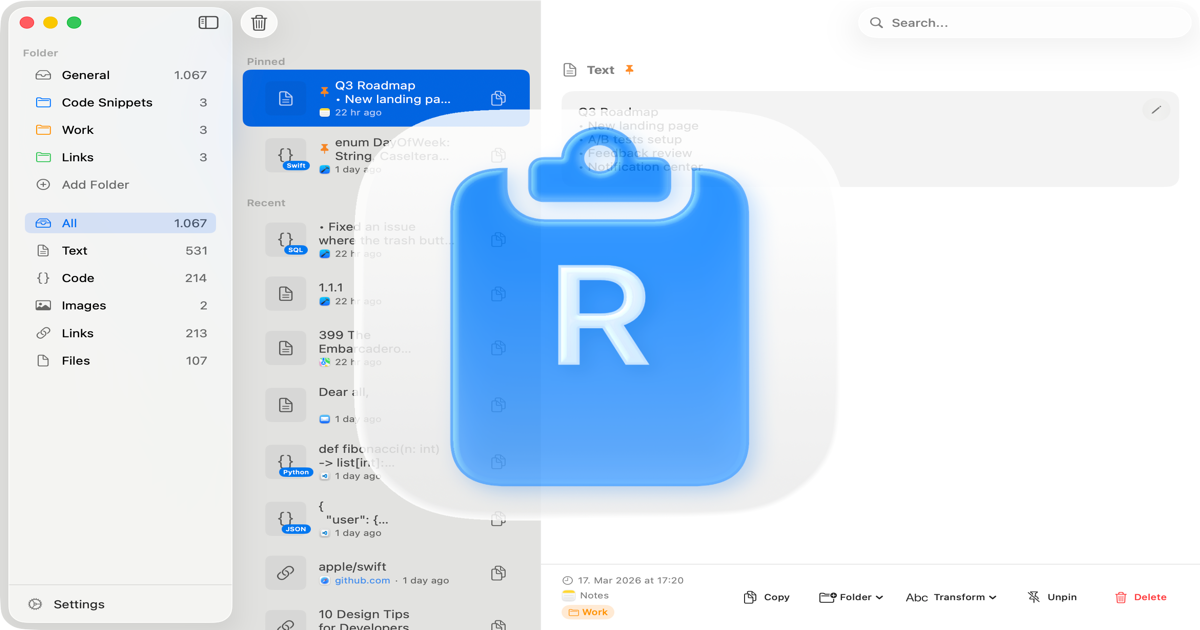
Recopy is a powerful AI tool designed to enhance productivity by storing and managing snippets of text efficiently. With its user-friendly interface and quick access from the menu bar, it promises to make finding information a breeze, particularly for macOS users.
Quick Verdict
Recopy is worth considering for professionals who frequently need to retrieve and manage snippets of text. Its ease of use and effective management features make it suitable for writers, researchers, and anyone who values efficiency in their workflow.
Best For / Not Recommended For
Best For
- Writers looking for a simplified way to manage copy and snippets.
- Researchers who need quick access to frequently used information.
- MacOS users who appreciate intuitive software solutions.
Not Recommended For
- Windows users who cannot use the software.
- Individuals seeking a free version to test before committing.
Key Specifications
| Specification | Details |
|---|---|
| Platform | macOS |
| API Access | No |
| Integrations | No third-party integrations |
| Snippet Limit | Unlimited |
| Deployment | Desktop application |
Pricing Snapshot
Recopy offers a single pricing tier at $5 per month for the Pro version. This tier unlocks all features of the application, however, there is no free version available for users to try out before purchasing.
Pros & Cons
Pros
- Easy to use interface that simplifies snippet management.
- Quick access from the menu bar enhances productivity.
- Effective management of text snippets for smooth workflow.
Cons
- Limited to macOS, excluding a significant user base.
- No free version available for testing, which may deter new users.
- Lacks third-party integrations that could enhance functionality.
Community Sentiment
The launch of Recopy on Product Hunt received a positive reaction with a total of 12 votes. Users appreciate its simplicity and effectiveness, although some expressed disappointment over its macOS exclusivity and lack of a trial version.
Benchmark References
Currently, limited public benchmarks are available for Recopy, but it has been noted for its speed and efficiency in managing snippets compared to traditional methods like text editors.
Comparison Table
| Competitor | Best At | Price | Free Tier |
|---|---|---|---|
| Sniply | Link management | $10/month | No |
| Evernote | Note-taking | $7.99/month | Yes |
| Notion | All-in-one workspace | $8/month | Yes |
Use-Case Recommendations
Use This If..
- You need a straightforward tool for managing text snippets.
- You work primarily on a Mac and value a clean interface.
- You want to improve your productivity with quick access to frequently used content.
Use Something Else If..
- You require a cross-platform solution for snippet management.
- You prefer a free trial before purchasing software.
Reliability & Durability Insight
Recopy is backed by a dedicated team focused on continuous improvement. As a relatively new product, it is still maturing in the market, but initial feedback indicates a reliable performance and steady updates.
Common Complaints
- Frustration over its exclusivity to macOS users.
- Requests for a free version or trial period to evaluate the software.
- Lack of integration options with other productivity tools.
Price-to-Value Analysis
At $5 per month, Recopy provides good value for users who regularly manage snippets. However, compared to alternatives with free tiers, it may not appeal to those looking for a no-cost entry point.
Alternatives
- Sniply - Use for link management and marketing purposes.
- Evernote - Great for thorough note-taking across devices.
- Notion - Best for users who need a full-featured workspace.
Frequently Asked Questions
Is Recopy available for Windows?
No, Recopy is currently only available for macOS users.
Can I try Recopy before purchasing?
Unfortunately, there is no free version or trial available at this time.
How does Recopy manage snippets?
Recopy allows users to save, organize, and quickly access text snippets from a convenient menu bar interface.
What is the monthly cost of Recopy?
The Pro version of Recopy costs $5 per month.
Source Transparency
This review is based on data from Product Hunt (12 upvotes), public documentation, and category analysis. Recopy has not sponsored this review.
Confidence Level
Confidence: High, The information provided is based on reliable user feedback and product specifications.
Wait or Buy?
Buy now if you are a macOS user looking for a simple and effective snippet management tool. If you are unsure, consider your workflow needs before making a purchase.
Last Verified
Information verified: May 2025. Check recopyapp.com for current details.
Editorial Integrity
This is an independent editorial review. Recopy had no editorial approval over the content of this review.