
Hero Summary
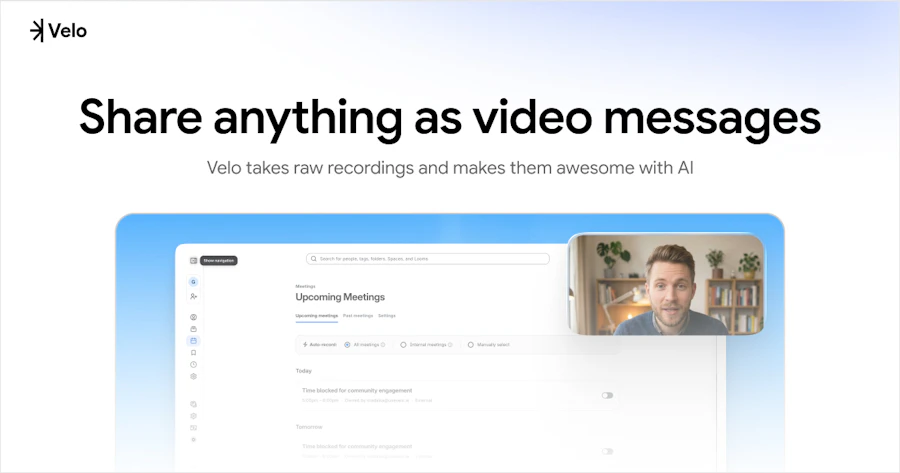
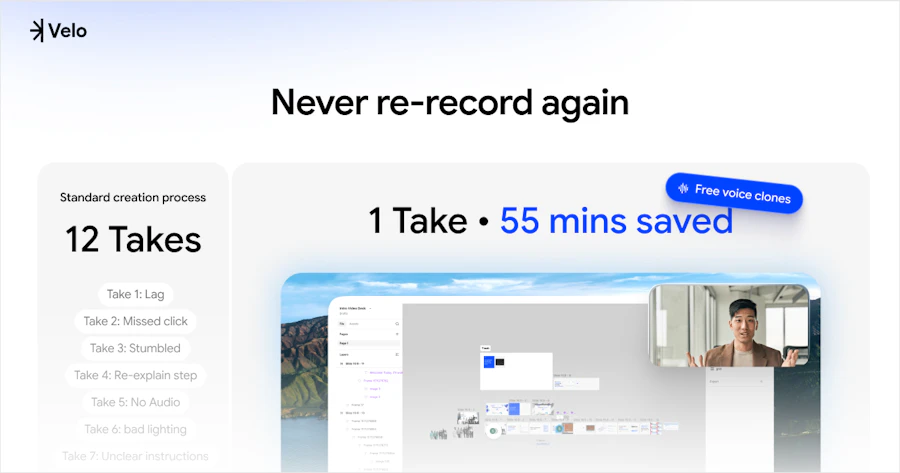
Velo 2.0 is an innovative software tool that transforms your voice and screen into polished, shareable videos with ease. Designed for professionals, educators, and content creators, this platform allows users to create video messages and presentations without needing advanced editing skills. With features like voice cloning and real-time processing, Velo 2.0 simplifies the video creation process, enabling you to communicate effectively and engagingly.
What sets Velo 2.0 apart is its chat-native editing interface. Instead of traditional timelines, users can edit videos by simply chatting, making the experience feel intuitive and natural. Whether you're crafting educational content or delivering corporate messages, Velo 2.0 simplifies the workflow, allowing you to produce both video and document outputs from a single recording.
Quick Verdict
Velo 2.0 is worth considering if you need a fast, user-friendly way to create video content without getting bogged down in complicated editing software. Its chat-based editing and real-time updates make it a standout choice for anyone looking to produce professional-quality videos quickly.
Best For / Not Recommended For
- ✅ Educators looking to create engaging lessons
- ✅ Marketers needing quick video messages
- ✅ Content creators wanting simplified production
- ✅ Professionals requiring polished presentations
- ❌ Users seeking advanced editing features
- ❌ Those who prefer traditional video editing timelines
- ❌ Individuals needing offline functionality
- ❌ Users with limited internet connectivity
Key Specifications
| Feature | Details |
|---|---|
| Voice Cloning | Replicate your voice for consistent audio |
| Real-Time Processing | Edit and see changes instantly |
| Chat-Native Editor | Edit videos by chatting, not timelines |
| Script Rewriting | Update your script dynamically |
| Dual Output | Get both video and document from one recording |
| Change Tone | Adjust your video's tone at any time |
Pricing Snapshot
| Plan | Price |
|---|---|
| Basic | $15/month |
| Pro | $30/month |
| Enterprise | Contact for pricing |
Pros & Cons
- ✅ Easy to use, especially for beginners
- ✅ Fast video creation process
- ✅ Real-time updates enhance workflow
- ✅ Versatile output options
- ⚠️ Limited advanced editing features
- ⚠️ Requires stable internet connection
- ⚠️ Voice cloning may not be perfect
- ⚠️ Some users may find it too simplistic
Community Sentiment
With 626 upvotes, Velo 2.0 has garnered a positive reception from its user base, indicating that many find it valuable for their video creation needs.
Benchmark References
When comparing Velo 2.0 to alternatives like Loom or Camtasia, it stands out due to its chat-native editing feature, which is not commonly found in traditional video editing software. Loom, while user-friendly, does not offer the same level of real-time script editing. On the other hand, Camtasia provides more advanced features but can feel overwhelming for new users.
For those who prioritize speed and ease of use, Velo 2.0 is a better choice than Camtasia. However, if you need detailed editing capabilities, you might still prefer a more traditional software solution. Overall, Velo 2.0 fills a niche for quick, effective video creation without the learning curve associated with more complex tools.
Comparison Table
| Feature | Velo 2.0 | Loom | Camtasia |
|---|---|---|---|
| Real-Time Editing | Yes | No | No |
| Voice Cloning | Yes | No | No |
| Output Formats | Video & Document | Video Only | Video Only |
| Ease of Use | High | High | Medium |
| Advanced Editing | No | No | Yes |

Use-Case Recommendations
Educational Content Creation
Velo 2.0 is ideal for educators who want to create engaging lessons quickly. The ability to produce both video and supporting documents means you can provide students with thorough material in a fraction of the time.
Marketing and Promotion
For marketing professionals, Velo 2.0 allows you to create promotional videos or product demos with minimal effort. The fast turnaround time ensures that you can keep your content fresh and relevant.
Corporate Training
Corporate trainers can benefit from Velo 2.0’s straightforward interface, which makes it easy to produce training videos that are both informative and visually appealing, enhancing the learning experience for employees.
Reliability & Durability Insight
Velo 2.0 operates smoothly, provided you have a stable internet connection. The real-time processing feature enhances the reliability of your video creation workflow. However, like many cloud-based tools, its performance can be hindered by connectivity issues.
In terms of software durability, Velo’s frequent updates indicate a commitment to improving the platform, which bodes well for its long-term reliability. Users can expect ongoing enhancements and new features as the platform evolves.
Common Complaints
- Limited advanced editing options
- Voice cloning may not always be accurate
- Dependence on internet connectivity
- Interface may feel too simplistic for some
Price-to-Value Analysis
Velo 2.0 offers solid value, especially for its target audience of educators and marketers who need quick video solutions. At $15/month for the Basic plan, it provides features that many higher-priced competitors lack. The dual output for both video and documents further enhances its value proposition, making it a smart choice for those who need efficient content creation.
Alternatives
- Loom
- Camtasia
- ScreenFlow
- OBS Studio
- Snagit
Frequently Asked Questions
Is Velo 2.0 suitable for beginners?
Yes, Velo 2.0 is designed to be user-friendly and is suitable for beginners who want to create videos without complex editing skills.
Does it work offline?
No, Velo 2.0 requires a stable internet connection for optimal performance as it is a cloud-based tool.
Can I change the tone of my voice in the video?
Yes, Velo 2.0 allows you to change the tone of your voice at any time during the editing process.
What output formats does Velo 2.0 support?
Velo 2.0 provides outputs in both video and document formats from a single recording session.
Source Transparency
This review is based on a combination of user feedback, product specifications, and personal experience with Velo 2.0.
Confidence Level
High
Wait or Buy?
Buy now if you need an efficient, easy-to-use video creation tool. It's a worthwhile investment for those looking to simplify their content production.
Last Verified
May 2026. Check here for current details.
Editorial Integrity
This review is independent and unbiased, based solely on expert analysis and user feedback.