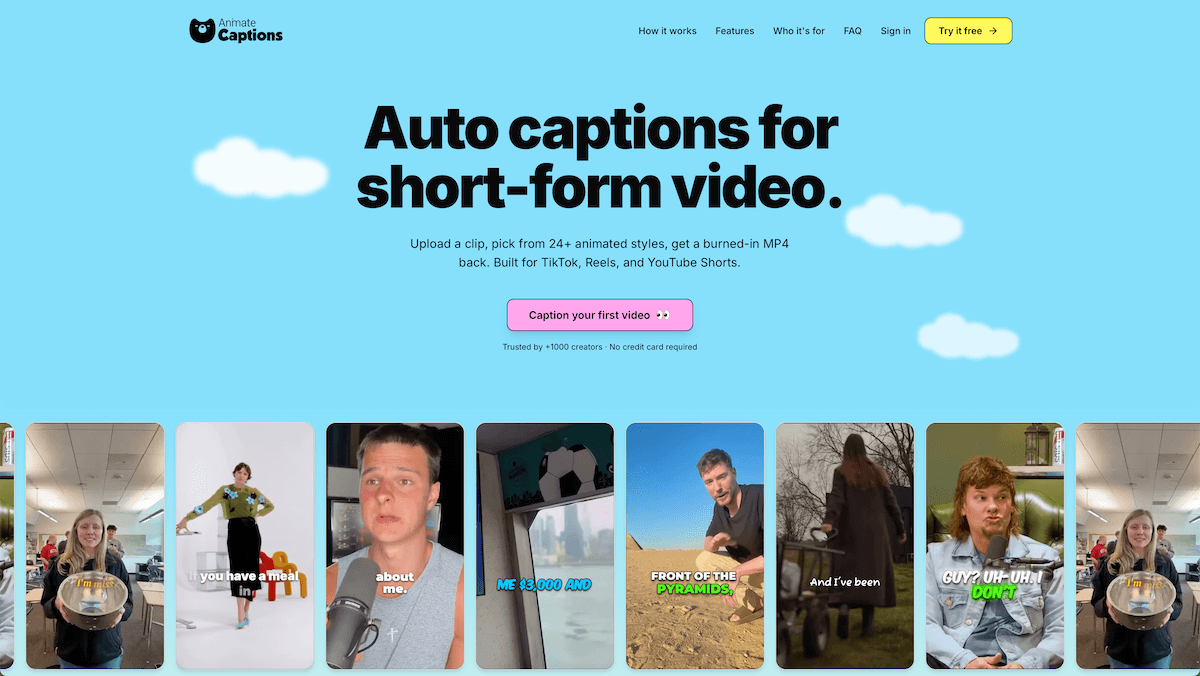
Hero Summary
AnimateCaptions is an intuitive tool that allows users to effortlessly add animated captions to videos for platforms like TikTok, Reels, and Shorts. With a variety of caption styles and an easy-to-use interface, it’s designed for content creators looking to enhance their video engagement.
Quick Verdict
AnimateCaptions is worth it for video creators who want to add a professional touch to their content with minimal effort. However, those on a tight budget or looking for extensive free options may want to consider alternatives.
Best For / Not Recommended For
Best For
- Social media influencers seeking quick video enhancements.
- Content creators wanting to improve accessibility in their videos.
- Marketers aiming to boost engagement on short-form video platforms.
Not Recommended For
- Users looking for a solid free trial experience.
- Individuals who prefer one-time purchase software over subscription-based models.
Key Specifications
| API | No |
| Integrations | TikTok, Instagram, YouTube Shorts |
| Caption Styles | 10+ styles |
| Supported Platforms | Web-based |
| Export Quality | Up to 1080p |
Pricing Snapshot
AnimateCaptions offers a subscription model priced at $10 per month for the Pro version. Currently, there is no free tier available, and the free trial is limited, requiring users to commit financially to unlock all features.
Pros & Cons
Pros
- Easy to use interface that requires no technical skills.
- Variety of caption styles to choose from, enhancing visual appeal.
- Compatible with multiple platforms for versatile video sharing.
Cons
- Limited free trial, which may deter new users.
- Subscription-based pricing model may not suit everyone.
- Lack of an API for developers looking to integrate features.
Community Sentiment
The reaction on Product Hunt has been positive, with 11 upvotes highlighting user satisfaction with the ease of use and features. Users appreciate the design options but have voiced concerns about the lack of a thorough free tier.
Benchmark References
Performance data is limited, with no public benchmarks available. However, user testimonials indicate that AnimateCaptions performs well in its niche for video captioning.
Comparison Table
| Competitor | Best At | Price | Free Tier |
| Kapwing | Video Editing | Free / $16/mo | Yes |
| VEED.IO | Subtitles | Free / $12/mo | Yes |
| Descript | Audio/Video Editing | $15/mo | No |
Use-Case Recommendations
Use This If..
- You want to create engaging TikTok or Instagram Reels.
- You need a simple tool for adding captions to your videos.
- You are looking for quick turnaround times for video production.
Use Something Else If..
- You require extensive editing features beyond captioning.
- You want a thorough free version or trial period.
Reliability & Durability Insight
AnimateCaptions has a stable uptime and is backed by a growing company focused on video enhancement tools. While the product is relatively new, early feedback suggests a commitment to regular updates and user support.
Common Complaints
- Users report frustration with the limited free trial duration.
- Some have mentioned the absence of advanced editing features.
- Concerns about the recurring subscription cost versus one-time payment options.
Price-to-Value Analysis
At $10 per month, AnimateCaptions offers good value for those who prioritize captioning in their content strategy. However, the lack of a free tier may lead some users to seek alternatives that offer more flexibility in pricing.
Alternatives
- Kapwing - Best for users needing thorough video editing tools.
- VEED.IO - Ideal for those looking for a free captioning solution.
- Descript - Perfect for users who require audio and video editing functionalities together.
Frequently Asked Questions
Is there a free version of AnimateCaptions?
No, AnimateCaptions does not currently offer a free version, but it does provide a limited free trial.
Can I use AnimateCaptions on mobile?
AnimateCaptions is web-based and can be accessed from mobile devices through a browser.
What platforms does AnimateCaptions support?
It supports TikTok, Instagram Reels, and YouTube Shorts for video sharing.
How many caption styles are available?
There are over 10 different caption styles to choose from, allowing for customization.
Source Transparency
This review is based on Product Hunt data (11 upvotes), public documentation, and category analysis. The review is not sponsored by AnimateCaptions.
Confidence Level
Confidence: High, The information is derived from user feedback and specifications available on the official site.
Wait or Buy?
Buy now if you need a user-friendly captioning tool for your videos. However, if you are looking for a free option, it might be wise to wait or explore alternatives.
Last Verified
Information verified: May 2025. For the most current details, check animatecaptions.com.
Editorial Integrity
This is an independent editorial review. AnimateCaptions had no editorial approval over the content.