Hero Summary
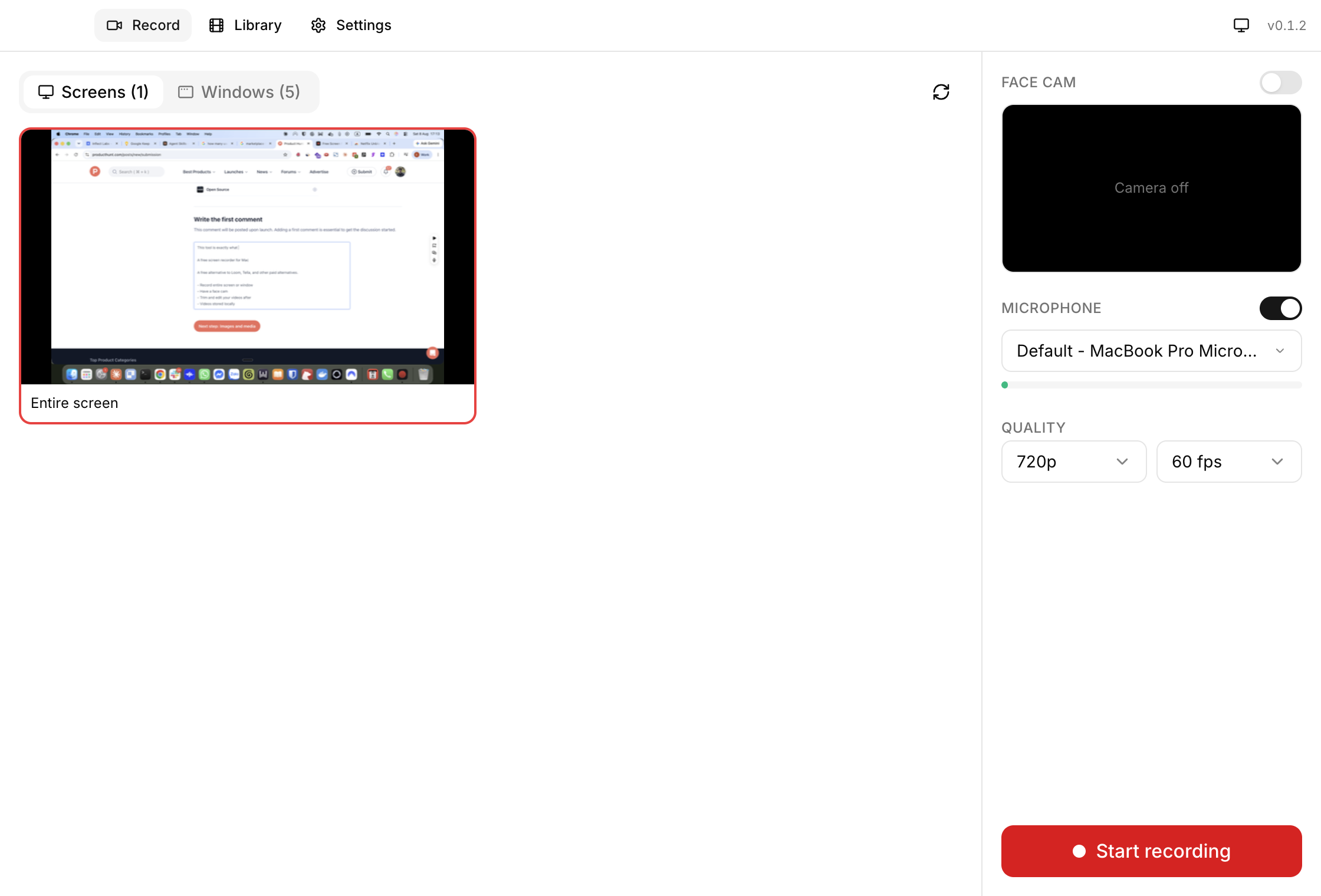
Free Screen Recorder for Mac provides a simple and effective way to capture your screen with face cam integration. This open-source tool stands out for its user-friendly interface, making it an excellent choice for beginners and casual users.
Quick Verdict
It's worth trying for those who need basic screen recording without any cost. However, professionals seeking advanced features may want to look elsewhere.
Best For / Not Recommended For
Best For
- Students needing to record lectures or tutorials.
- Content creators starting out who want to capture video with face cam.
- Users looking for a free, straightforward solution for screen recording.
Not Recommended For
- Advanced users requiring extensive editing features.
- Businesses that need professional-grade screen recording solutions.
Key Specifications
| API | Not available |
| Integrations | None |
| Limits | Basic recording functions only |
| Deployment | Mac OS |
| Open Source | Yes |
Pricing Snapshot
Free Screen Recorder for Mac is entirely free to use. There are no tiers or premium features, making it accessible for all users. The tool provides basic recording capabilities without any hidden costs.
Pros & Cons
Pros
- Easy to use interface that requires no technical skills.
- Supports face cam recording for a more personal touch.
- Open source, allowing for transparency and community contributions.
Cons
- Limited advanced features may not satisfy power users.
- Basic editing tools that don’t cater to detailed post-production needs.
- Occasional bugs reported by users in specific Mac versions.
Community Sentiment
The initial launch on Product Hunt received a lukewarm response with only 6 votes. Users appreciate the simplicity but express a desire for more advanced functionalities and better editing tools.
Benchmark References
Limited public benchmarks available; however, users have noted decent performance for basic recording tasks without significant lag or issues.
Comparison Table
| Competitor | Best At | Price | Free Tier |
| OBS Studio | Advanced features | Free | Yes |
| Screencast-O-Matic | Easy editing | $1.50/month | Yes |
| Camtasia | Professional editing | $249.99 one-time | No |
Use-Case Recommendations
Use This If..
- You need to record quick tutorials for class or presentations.
- You want to capture gameplay footage with face cam.
- You’re creating simple video content for social media.
Use Something Else If..
- You require advanced editing and production tools.
- You need to record high-quality videos for professional use.
Reliability & Durability Insight
Free Screen Recorder for Mac has shown reliable performance for casual use. However, being open source means it relies heavily on community support for updates and bug fixes.
Common Complaints
- Lack of advanced features makes it less appealing for professional users.
- Basic editing tools can be frustrating for those wanting more customization.
- Some users report compatibility issues with certain Mac OS versions.
Price-to-Value Analysis
As a free tool, Free Screen Recorder offers excellent value for casual users. Those who need advanced features may find better ROI with paid alternatives that offer richer functionalities.
Alternatives
- OBS Studio: Best for users needing advanced features and customization.
- Screencast-O-Matic: Ideal for users looking for easy editing options.
- Camtasia: Recommended for professionals requiring thorough editing tools.
Frequently Asked Questions
Is Free Screen Recorder for Mac really free?
Yes, it is completely free with no hidden fees.
Can I record with face cam?
Yes, it supports face cam recording to enhance your videos.
What editing features are available?
The editing tools are basic and may not meet all users' needs.
Is it compatible with all Mac OS versions?
It may have compatibility issues with certain Mac OS versions, so check before downloading.
Source Transparency
Based on PH data (6 upvotes), public docs, and category analysis. This review is not sponsored.
Confidence Level
Confidence: Medium, The information is based on user feedback and available specifications, but the lack of extensive benchmarks affects overall confidence.
Wait or Buy?
Try free, If you need basic screen recording capabilities, this tool is worth trying out without commitment.
Last Verified
Information verified: May 2025. Check freescreenrecorder.onl for current details.
Editorial Integrity
Independent editorial review. Free Screen Recorder for Mac had no editorial approval.