Hero Summary
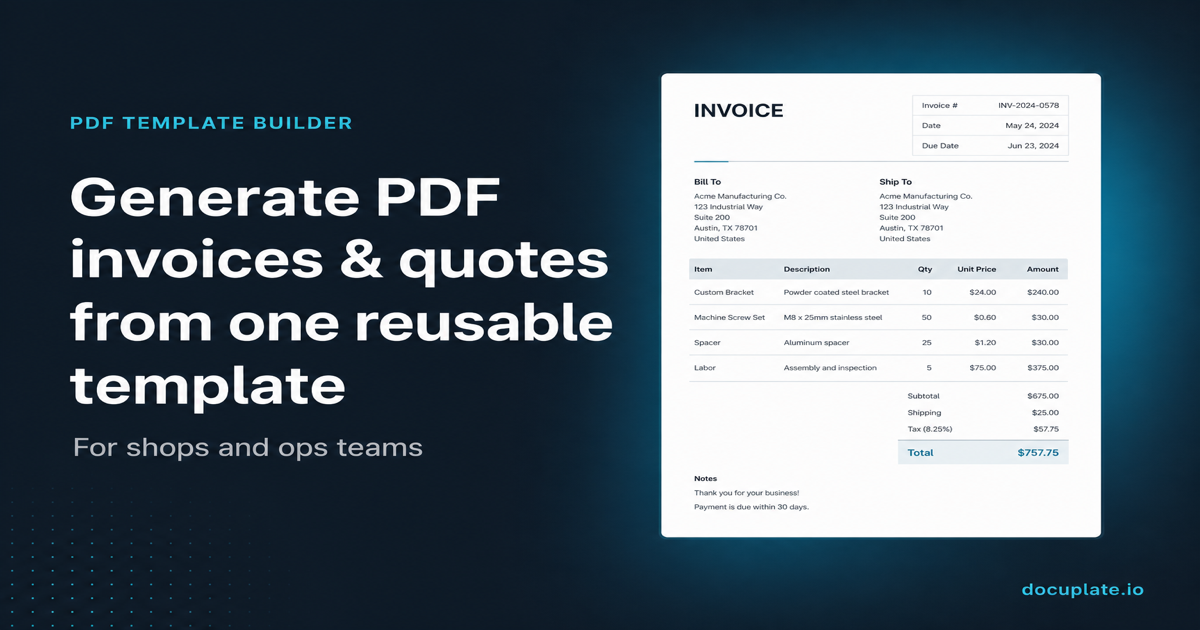
Docuplate is a visual drag-and-drop PDF template builder designed for anyone needing quick document generation. With its user-friendly interface and no coding requirements, it offers a free entry point for users to start creating templates effortlessly.
Quick Verdict
Docuplate is worth trying for individuals and small businesses looking for a straightforward tool to create PDF templates. However, those needing advanced features or a more mature product may want to explore other options.
Best For / Not Recommended For
Best For
- Small business owners looking for quick document solutions.
- Non-technical users who want to create PDF templates without coding.
- Freelancers needing a simple tool for client projects.
Not Recommended For
- Enterprise users requiring advanced features and integrations.
- Users looking for a fully developed, feature-rich PDF generator.
Key Specifications
| Specification | Details |
|---|---|
| API Access | No |
| Integrations | Limited |
| Template Limits | Up to 5 templates in free tier |
| Deployment | Web-based |
| File Formats | PDF only |
Pricing Snapshot
Docuplate offers a free tier that allows users to create up to 5 PDF templates. Paid plans are not currently available, making it an attractive option for those who want to start without any financial commitment.
Pros & Cons
Pros
- Easy to use interface that simplifies the template creation process.
- No coding required, making it accessible for all skill levels.
- Free to start, which lowers the barrier for entry.
Cons
- Limited advanced features may not satisfy power users.
- Still in early development, which can lead to bugs or missing functionalities.
- Restricted template options in the free tier may hinder extensive use.
Community Sentiment
Docuplate received a mixed reaction during its Product Hunt launch, garnering only 2 votes. Users appreciate the simplicity but express concerns about its limited features and developmental stage.
Benchmark References
Limited public benchmarks are available, but early feedback suggests that while Docuplate is functional, it may not compete effectively with established players in terms of features.
Comparison Table
| Competitor | Best At | Price | Free Tier |
|---|---|---|---|
| Canva | Design flexibility | $12.99/month | Free with limitations |
| Jotform | Form integration | $34/month | Free with limitations |
| Google Docs | Collaborative editing | Free | Free |
Use-Case Recommendations
Use This If..
- You need to create simple PDF documents quickly and easily.
- You want a platform that requires no coding knowledge.
- You are just starting and want a free option to test PDF template generation.
Use Something Else If..
- You require advanced features like API access or extensive integrations.
- You need a more mature tool with a proven track record.
Reliability & Durability Insight
As a web-based tool, Docuplate's uptime has been stable, but being in early development means it may still face occasional issues. The company’s backing is not widely known, which raises questions about long-term support.
Common Complaints
- Users report missing advanced features that are common in competitors.
- Some have encountered bugs that affect usability.
- Limited template options have frustrated users looking for more variety.
Price-to-Value Analysis
With a free tier, Docuplate offers decent value for casual users. However, for those who need extensive features, the lack of paid options means users may not achieve the best return on investment compared to alternatives that offer more functionality.
Alternatives
- Canva - Use for a wide range of design projects beyond PDF templates.
- Jotform - Best for users needing form-building capabilities.
- Google Docs - Ideal for collaborative document creation and editing.
Frequently Asked Questions
Is Docuplate completely free?
Yes, Docuplate offers a free tier that allows users to create limited templates without any cost.
Can I integrate Docuplate with other tools?
Currently, integrations are limited, so check the website for any updates on this feature.
Is coding knowledge required to use Docuplate?
No, Docuplate is designed for users with no coding experience, making it accessible for everyone.
How can I provide feedback on Docuplate?
You can share your feedback directly on their website or through their support channels.
Source Transparency
This review is based on Product Hunt data (2 upvotes), public documentation, and category analysis. The review is not sponsored.
Confidence Level
Confidence: Medium, While the tool shows potential, it is still in early development, and user experiences vary significantly.
Wait or Buy?
Try free, Docuplate is worth testing for those who need a simple PDF template builder, but waiting for more features may benefit some users.
Last Verified
Information verified: May 2025. Check docuplate.io for current details.
Editorial Integrity
This is an independent editorial review. Docuplate had no editorial approval over this content.