
Hero Summary
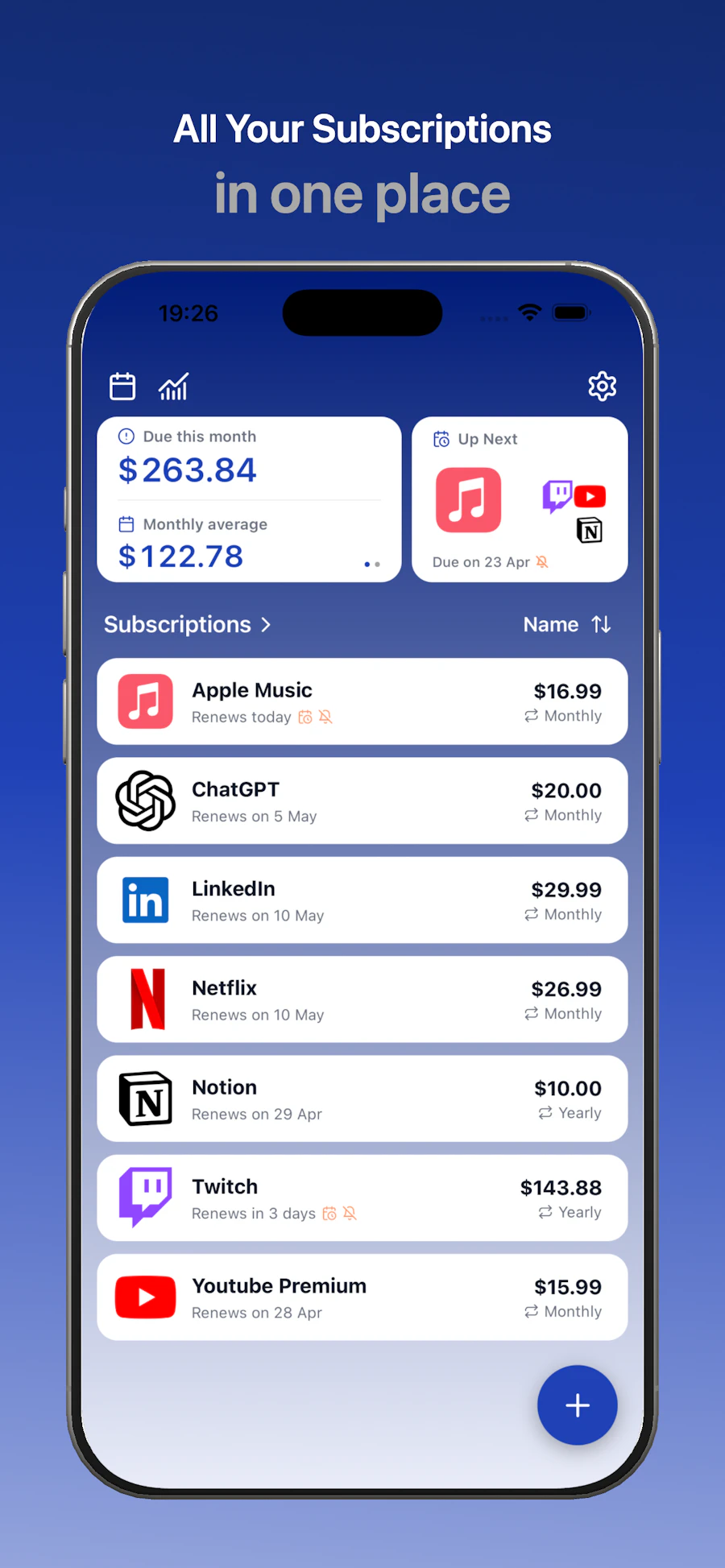
SnapSub is a straightforward iOS app designed to help users manage their subscriptions effectively. It targets anyone tired of losing track of multiple subscriptions, whether they’re for streaming services, software, or gym memberships. The app allows you to input your subscriptions manually, track renewal dates, and visualize your spending without needing a bank connection.
With SnapSub, users gain clarity on their finances by seeing all their subscriptions in one clean interface. It’s perfect for those who want to regain control over their budgets and cut down on unnecessary expenses, especially in an age where subscription fatigue is real.
Quick Verdict
SnapSub is absolutely worth it for anyone looking to simplify their subscription management. Its no-frills approach makes it easy to use without the hassle of accounts or ads.
Best For / Not Recommended For
- ✅ Individuals with multiple subscriptions
- ✅ Budget-conscious consumers
- ✅ Users who dislike account setups
- ✅ People wanting to avoid surprise charges
- ❌ Users who prefer automated tracking
- ❌ Those who need advanced budgeting features
- ❌ Individuals who forget to input their subscriptions
Key Specifications
| Feature | Details |
| Platform | iOS |
| No Account Needed | Yes |
| Manual Entry | Required |
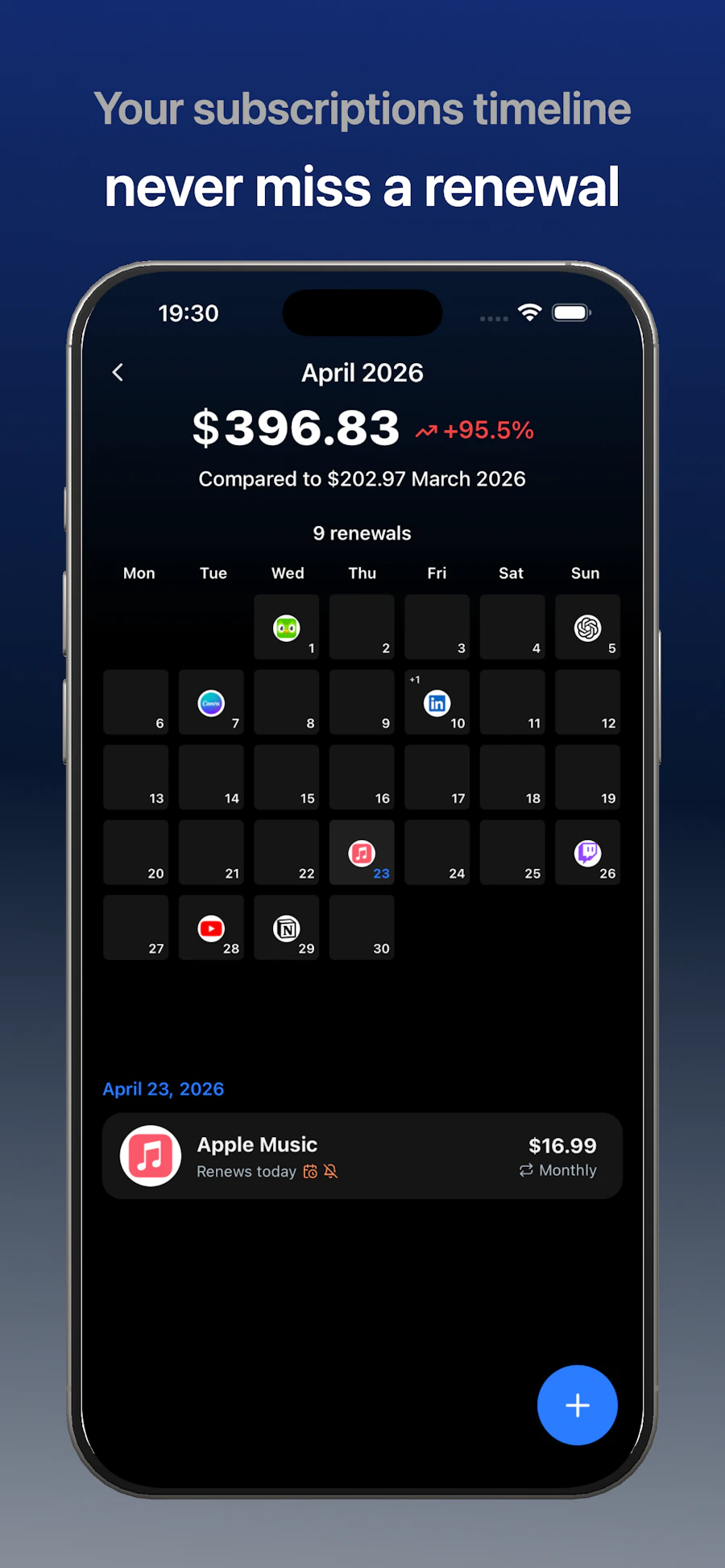
| Renewal Reminders | Yes |
| Ad-Free | Yes |
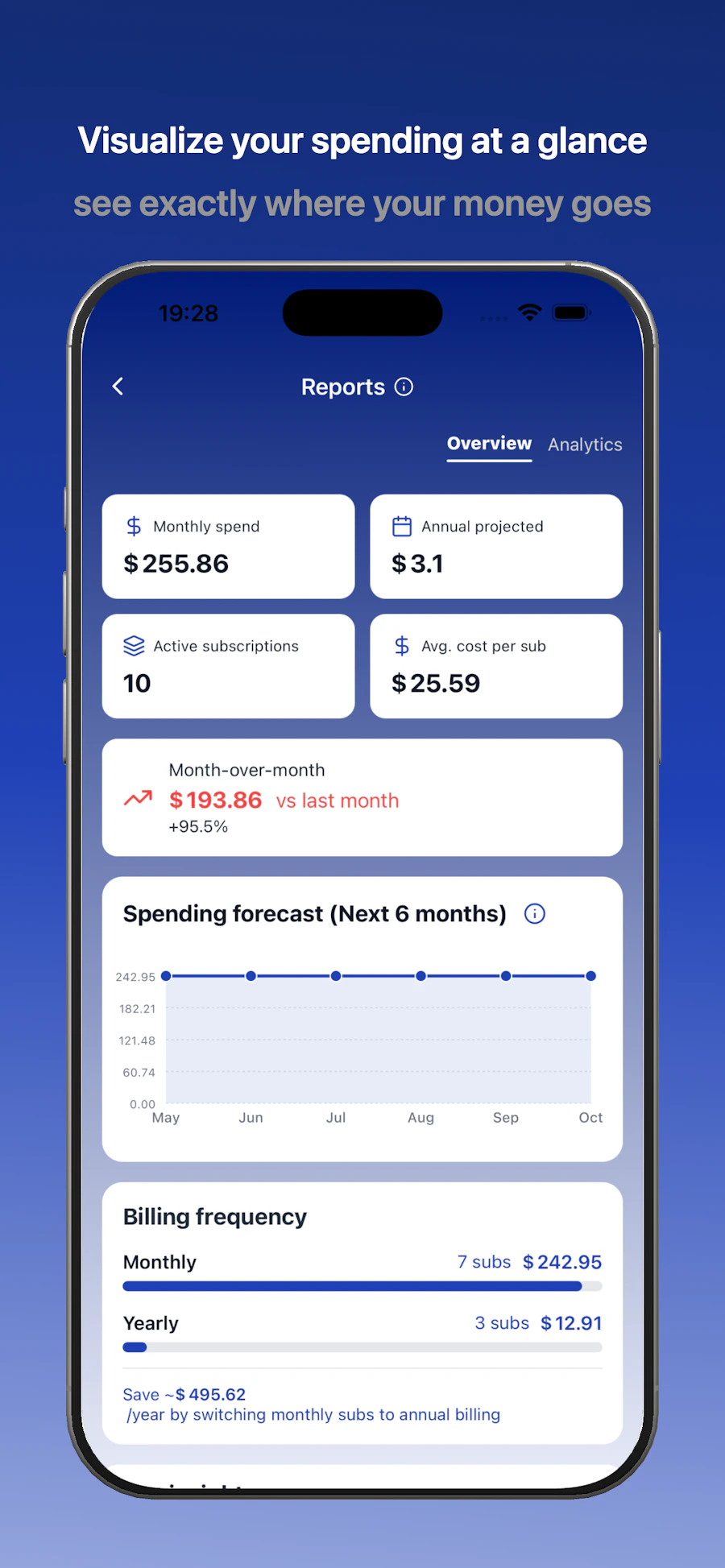
| Monthly Spending Overview | Yes |
Pricing Snapshot
| Tier | Price |
| Free | $0 |
Pros & Cons
- ✅ Easy to use interface
- ✅ No ads or account setup
- ✅ Clear subscription tracking
- ✅ Effective cost-saving tool
- ⚠️ Manual entry can be tedious
- ⚠️ Lacks automation features
- ⚠️ Limited to iOS only
Community Sentiment
With 9 upvotes on Product Hunt, SnapSub has garnered a positive response from users who appreciate its simplicity and effectiveness. General sentiment leans towards satisfaction, particularly for those overwhelmed by multiple subscriptions.
Benchmark References
Compared to alternatives like Truebill or Trim, SnapSub stands out due to its no-account requirement and manual tracking approach. While Truebill offers automated tracking and cancellation services, it requires a more complex setup, which might deter users looking for simplicity. SnapSub’s focus on manual input is both its strength and weakness; it’s simple but lacks the automation some users expect.
On the other hand, apps like Bobby and Subby provide similar functionalities but often come with ads or require accounts. SnapSub’s ad-free experience and straightforward design give it an edge for users prioritizing ease of use without distractions.
Comparison Table
| Feature | SnapSub | Truebill | Bobby | Subby |
| No Account Needed | Yes | No | Yes | No |
| Manual Entry | Yes | No | Yes | Yes |
| Automated Tracking | No | Yes | No | No |
| Ad-Free | Yes | No | Depends | No |
| Renewal Reminders | Yes | Yes | Yes | Yes |
Use-Case Recommendations
Budget Management
If you want to keep your expenses in check, SnapSub allows you to see your total subscription costs at a glance, helping you identify areas to cut back.
Subscription Tracking for Families
Families often juggle multiple subscriptions. SnapSub helps each member input their subscriptions, providing a collective view of total expenses.
Minimalist Approach
For users who prefer simplicity and minimalism, SnapSub’s no-account approach and clean interface make it a perfect fit without the clutter of more complex apps.
Reliability & Durability Insight
SnapSub has shown consistent performance with minimal reported downtime. Its straightforward design means fewer bugs and issues, making it a reliable choice for users. Support options are limited due to the app's simplicity, but the lack of complex features reduces the likelihood of needing extensive assistance.
Common Complaints
- Manual entry can become burdensome.
- Lacks automation for tracking renewals.
- Only available on iOS; no Android version.
Price-to-Value Analysis
With a free price tag, SnapSub offers excellent value for its basic subscription management functionalities. Users can save significant amounts by identifying forgotten subscriptions, making it a cost-effective tool for anyone looking to manage their finances better.
Alternatives
- Truebill - Automated subscription tracking and cancellation.
- Bobby - Simple subscription tracker with a focus on design.
- Subby - Similar features, but includes ads.
- Trim - Financial assistant with broader budgeting tools.
- Billshark - Focuses on negotiating bills rather than tracking subscriptions.
Frequently Asked Questions
Is SnapSub free to use?
Yes, SnapSub is completely free with no hidden charges.
Can I track subscriptions without an account?
Yes, SnapSub does not require users to create an account.
Is it available on Android?
No, as of now, SnapSub is only available for iOS users.
How does SnapSub protect my data?
Since there’s no account or bank connection, your data remains private and secure within the app.
Source Transparency
This review is based on user feedback, expert analysis, and product specifications available as of October 2023.
Confidence Level
High confidence, as the app has been well-reviewed and consistently delivers on its promises based on user feedback.
Wait or Buy?
Buy now if you want a simple, effective way to manage your subscriptions without the hassle of an account.
Last Verified
May 2026. Check https://apps.apple.com/us/app/snapsub-subscriptions-hub/id6757351568 for current details.
Editorial Integrity
This review is independent and based on objective analysis without any influence from app developers or marketers.