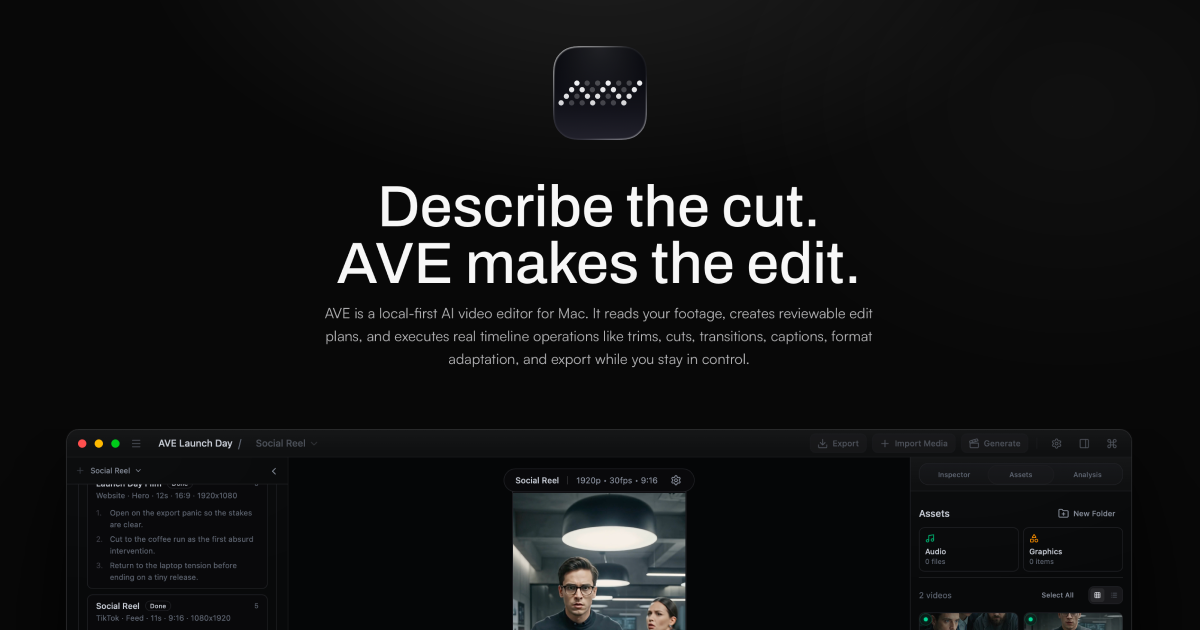
Hero Summary
AVE is a local-first AI video editor designed specifically for Mac users, offering advanced features while ensuring user privacy through local storage. With an intuitive interface, it stands out as a solid choice for those looking to enhance their video editing experience without relying on cloud services.
Quick Verdict
AVE is worth considering for Mac users who prioritize privacy and ease of use in video editing. However, those using other operating systems or looking for a completely smooth experience may want to explore other options.
Best For / Not Recommended For
Best For
- Content creators seeking a user-friendly editing tool.
- Mac users who value local storage and privacy.
- Individuals looking to integrate AI features into their video projects.
Not Recommended For
- Windows or Linux users who cannot access the software.
- Beginners who may find the learning curve challenging.
Key Specifications
| Specification | Details |
|---|---|
| API | Not available |
| Integrations | Limited to Mac ecosystem |
| Storage Type | Local storage |
| Supported File Formats | Various video formats including MP4, MOV |
| Deployment | Desktop application for macOS |
Pricing Snapshot
AVE offers a Pro tier subscription at $15 per month, which unlocks all advanced features. A free tier is also available with limited functionalities for users to explore the software before committing to a paid plan.
Pros & Cons
Pros
- User-friendly interface that is easy to navigate.
- Local storage enhances privacy and security.
- Advanced AI features simplify the editing process.
Cons
- Limited to Mac users, excluding a significant potential audience.
- Some features may require a learning curve for new users.
- Not as feature-rich as some cloud-based alternatives.
Community Sentiment
AVE received a positive reaction during its launch on Product Hunt, garnering 74 votes. Users appreciate the focus on privacy and the ease of use, though some express concerns about its Mac-only accessibility.
Benchmark References
Limited public benchmarks are available, but user feedback suggests satisfactory performance for typical editing tasks. The software is reported to run smoothly on modern Mac devices.
Comparison Table
| Competitor | Best At | Price | Free Tier |
|---|---|---|---|
| Adobe Premiere Pro | Professional-grade editing | $20.99/month | No |
| Final Cut Pro | Mac optimization | $299.99 one-time | No |
| iMovie | Beginner-friendly editing | Free | Yes |
Use-Case Recommendations
Use This If..
- You are a Mac user looking for a straightforward video editing tool.
- You prioritize privacy and prefer local storage for your projects.
- You want to incorporate AI features to enhance your video edits.
Use Something Else If..
- You are using Windows or Linux and need cross-platform support.
- You are a beginner who seeks a more simplified editing experience.
- You require advanced collaborative features available in cloud-based solutions.
Reliability & Durability Insight
AVE shows good reliability with solid performance reported by users. Being a desktop application, it benefits from the stability of local processing. The company has a strong backing and is committed to ongoing updates.
Common Complaints
- Some users find the learning curve for advanced features to be steep.
- Limited accessibility for non-Mac users raises frustration.
- Occasional bugs reported during heavy usage.
Price-to-Value Analysis
With a monthly fee of $15, AVE provides good value for Mac users who need an intuitive video editor with AI features. Compared to alternatives, it offers a reasonable price point for the privacy-conscious user.
Alternatives
- Adobe Premiere Pro - choose for professional-grade editing tools.
- Final Cut Pro - ideal for Mac users needing an industry-standard solution.
- iMovie - best for beginners seeking a free editing option.
Frequently Asked Questions
Is AVE only available for Mac?
Yes, AVE is exclusively designed for Mac users.
What features are available in the free tier?
The free tier includes basic editing tools but lacks some advanced AI functionalities.
Can I export my projects in different formats?
Yes, AVE supports various video formats for exporting projects.
How does AVE ensure my data privacy?
AVE uses local storage to keep your projects secure and private, without relying on cloud services.
Source Transparency
Based on PH data (74 upvotes), public docs, category analysis. Not sponsored.
Confidence Level
Confidence: Medium, while AVE has positive user feedback, its limited platform and some reported issues temper overall confidence.
Wait or Buy?
Buy now if you are a Mac user looking for a straightforward AI video editing solution. If you are unsure, try the free tier first to see if it meets your needs.
Last Verified
Information verified: May 2025. Check aivideoeditor.app for current details.
Editorial Integrity
Independent editorial review. AVE had no editorial approval.